
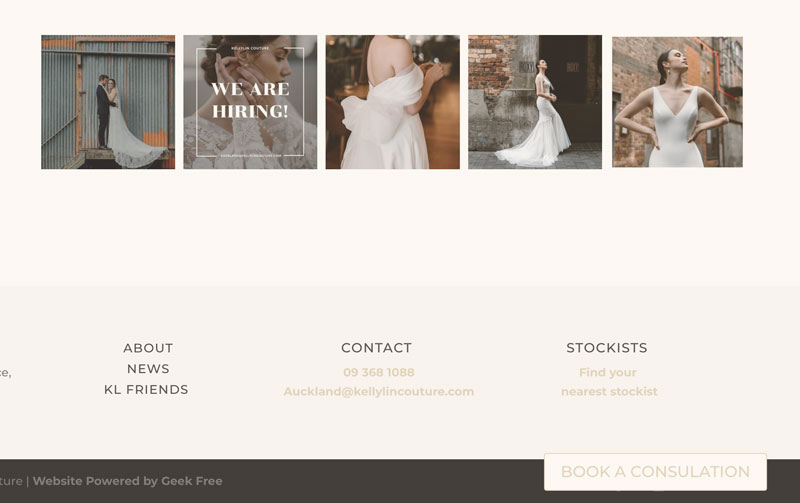
Have you ever wanted a sticky button in WordPress? I was looking for a way to do this on a Divi site before they added Sticky Elements. I really wanted an easy way to do it and I am seriously gobsmacked at how ridiculously easy this was.
All I did was add a row to the Divi global custom footer, added a button with the link I wanted, and then added the following CSS to the Button module Advanced Settings > CSS > main element area…
position: fixed;
bottom: 15px;
right: 130px;
I wanted to match the look on the clients’ current site and this fix was absolutely perfect.
I will use this over and over!!!
Why use a sticky button on your website
For small businesses, every click counts. A sticky button can make a real difference. By keeping a key action visible as people scroll, you make it easy for visitors to take the next step. There is no need to go hunting through menus or scrolling back to the top.
On mobile, this is especially useful, as users can quickly tap to Book a Service, Request a Quote, or Get in Touch at any point. For WordPress sites, adding a sticky button is a simple way to lift engagement. They help improve conversions without changing your whole design. It keeps your call to action front and centre, guiding visitors naturally towards the outcome you want. Whether it’s a new enquiry, booking, or sale, a sticky button could be a good choice for your website.